How clients opt in to text messages
This page documents how Dental Wealth Partners LLC ("DWP") collects consent to send text messages. Texting is offered only to established advisory clients of the firm, and consent is never a condition of our services. The program's full terms are in our SMS Terms & Conditions and our handling of your information is described in our Privacy Policy. Mobile numbers and opt-in data are never shared with third parties or affiliates for marketing or promotional purposes.
Opt-in method 1 — the client portal (online)
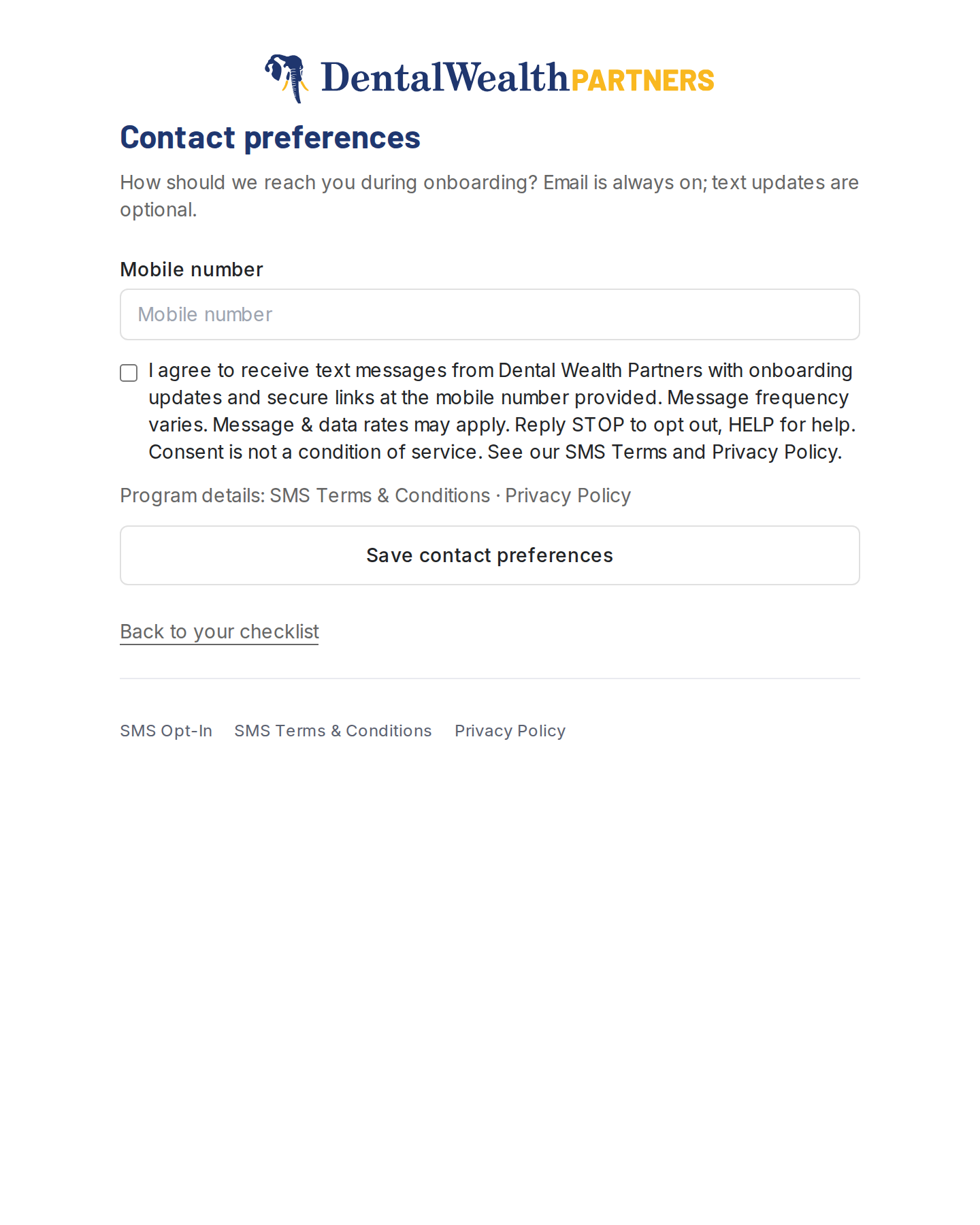
During engagement onboarding, clients sign in to the DWP client portal (access is by invitation and requires authentication) and open the Contact preferences step, which asks for a mobile number alongside an unchecked, optional consent checkbox. The portal sits behind client sign-in, so the step below is rendered live by the same code that renders it for signed-in clients — same fields, same disclosure, same defaults. Only submission is disabled on this public page:
Contact preferences
How should we reach you during onboarding?
Live rendering of the consent step from the DWP client portal onboarding flow. The checkbox is unchecked by default and must be affirmatively selected by the client.
As additional proof, this screenshot shows the same step as a signed-in client sees it inside the portal onboarding flow:
Opt-in method 2 — verbally to firm staff
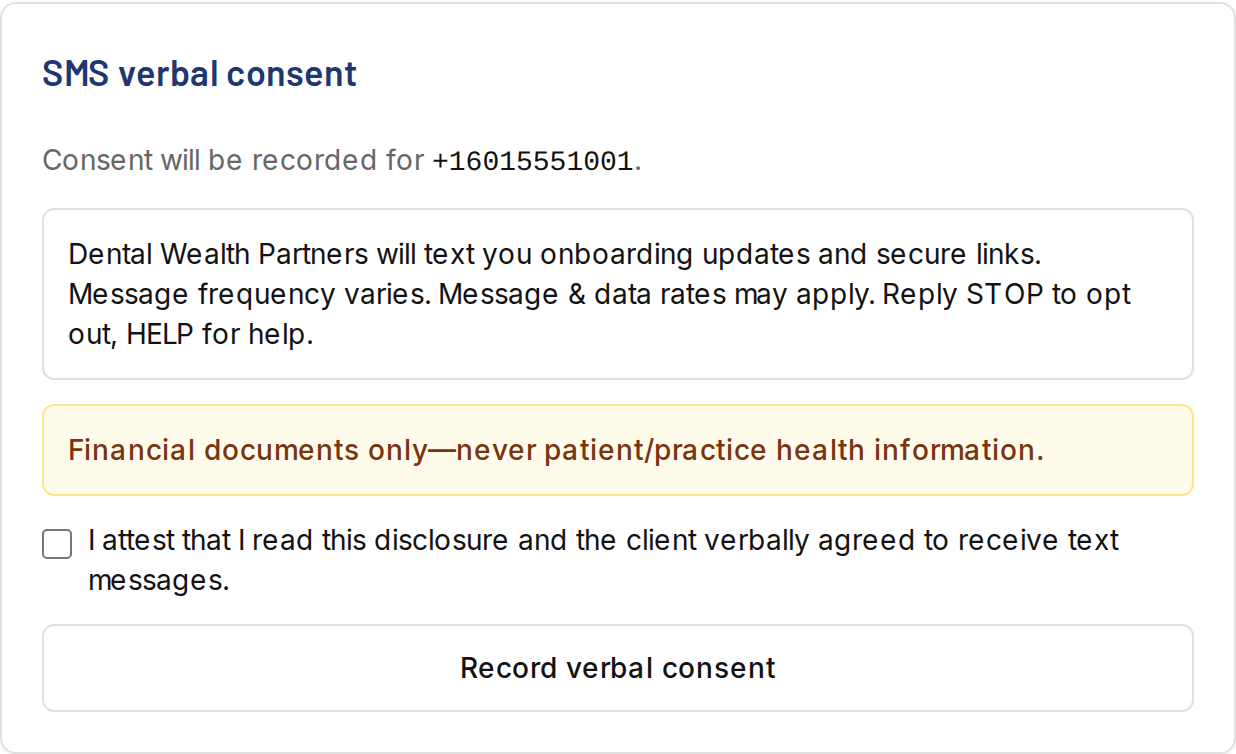
Some clients provide their mobile number and texting consent verbally during onboarding calls or meetings with DWP staff. In that case, staff read the same disclosure ("Dental Wealth Partners will text you onboarding updates and secure links. Message frequency varies. Message & data rates may apply. Reply STOP to opt out, HELP for help.") and record the consent — timestamp, method, and staff member — in the firm's client-records system. Consent records are retained and exportable.
Proof of the verbal opt-in workflow: the screenshot below shows the consent-recording screen DWP staff use. Staff must attest they read the disclosure to the client before the record is created; each record stores the date and time, the method ("staff-verbal"), the staff member, the disclosure text shown, and its version.
Confirmation message
Whichever method is used, the first text a client receives is an opt-in confirmation identifying the firm and repeating the opt-out and help instructions:
Opting out and getting help
- Reply STOP to any message to cancel at any time. Reply START to re-enroll.
- Reply HELP, email clientcare@dentistfinancialplanning.com, or call (601) 339-6077 for assistance.